
In short: From May 2026, Microsoft is rolling out the integration between SharePoint, OneDrive, and Microsoft Entra B2B to all tenants. External sharing will then be more tightly coupled to guest identities in Entra, and old sharing links should be mapped before the transition reaches the tenant.
The rollout happens automatically, tenant by tenant. When it reaches an individual tenant, EnableAzureB2BIntegration no longer has any effect. The integration also cannot be turned off, and the change applies to the entire tenant.
The sharing settings in SharePoint and OneDrive do not disappear. What changes is the identity behind the external access and which policies can affect it.
What changes?
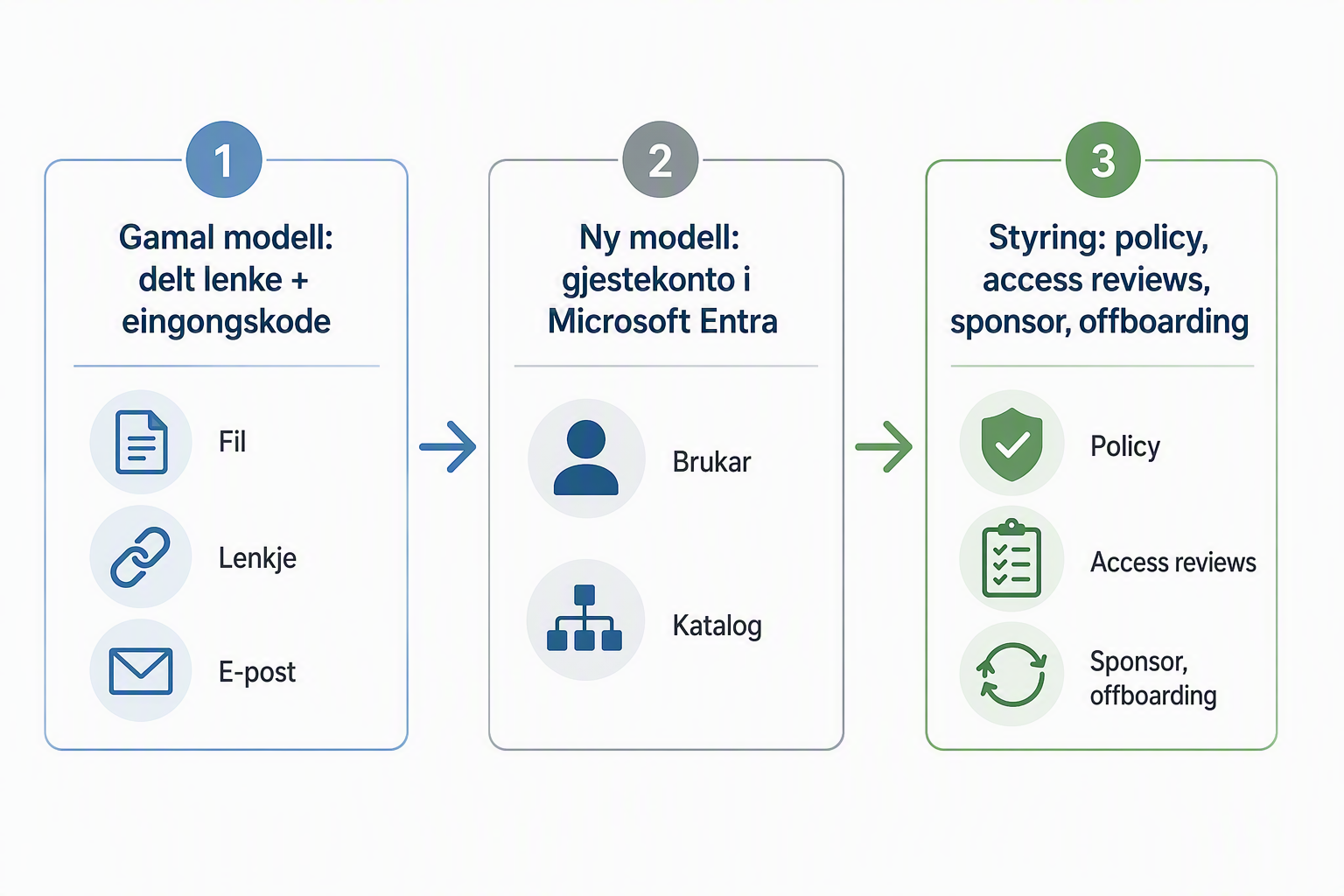
In the previous model in SharePoint Online, an external recipient could receive a code by email without having an established guest account in Microsoft Entra.
With Entra B2B, authentication moves into the common identity model. The external recipient is represented as a guest in the directory, and the access can be included in the same processes as other external identities.
This provides a better basis to:
- see who actually has external access
- use central settings for external collaboration
- tie the access to an owner, a control, and an end
At the same time, existing restrictions in SharePoint and OneDrive remain in place. If external sharing is turned off on a site, it will not be turned on by this integration. A more restrictive setting in Entra can, however, override a more open setting in Microsoft 365.
What might be noticed in operations?
Not all old links must be reshared
Microsoft distinguishes between recipients who already have an Entra B2B guest account and those who have only used SharePoint’s previous one-time passcode.
If the guest account exists, the recipient will still have access to previously shared links. If the account is missing, the recipient may be denied access or see the message:
“This organization updated its guest access settings”
The organization can then create the guest account in advance or reshare the content. Microsoft states that external recipients without a guest account may lose access from July 2026. Anyone or anonymous links are not covered by this transition.
OTP is not going away
Email-based one-time passcode remains a supported method in Microsoft Entra B2B when the recipient cannot be authenticated in another way.
The transition is therefore not about OTP disappearing. It is about authentication moving from a model specific to SharePoint to Microsoft Entra B2B.
Multiple settings work together
External sharing is affected by both SharePoint and OneDrive sharing settings and settings in Microsoft Entra. This includes, among other things, external collaboration settings, organizational relationships, and cross-tenant access settings.
This makes the connection between SharePoint administration and identity administration more important than before.
Entra ID is the control plane. Governance provides the lifecycle
Microsoft Entra ID and Microsoft Entra ID Governance answer two different but closely related questions:
- Entra ID confirms who the identity is and enforces the conditions for sign-in and access.
- Entra ID Governance documents why the access exists, who owns it, how long it should last, and when it should be reviewed or removed.
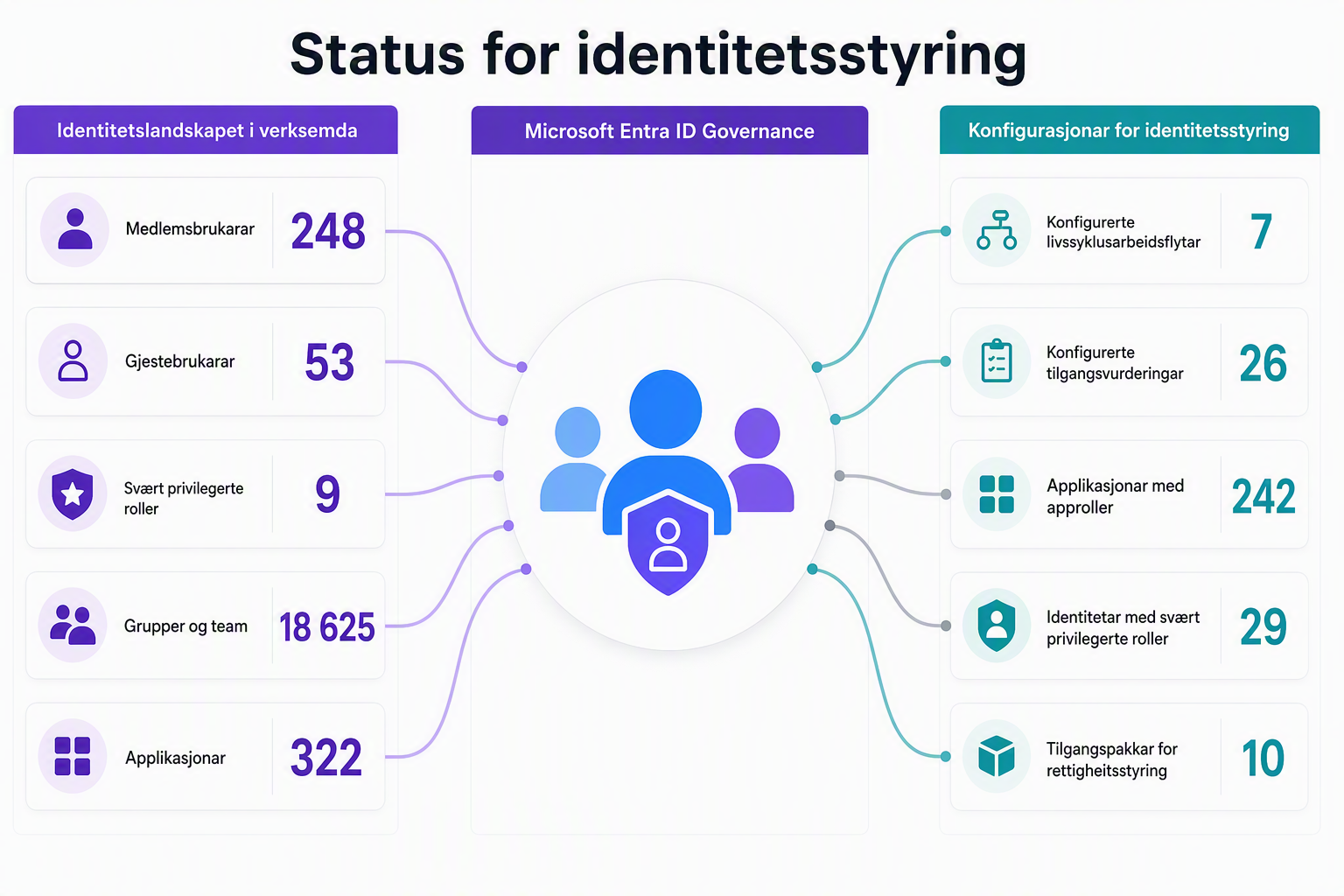
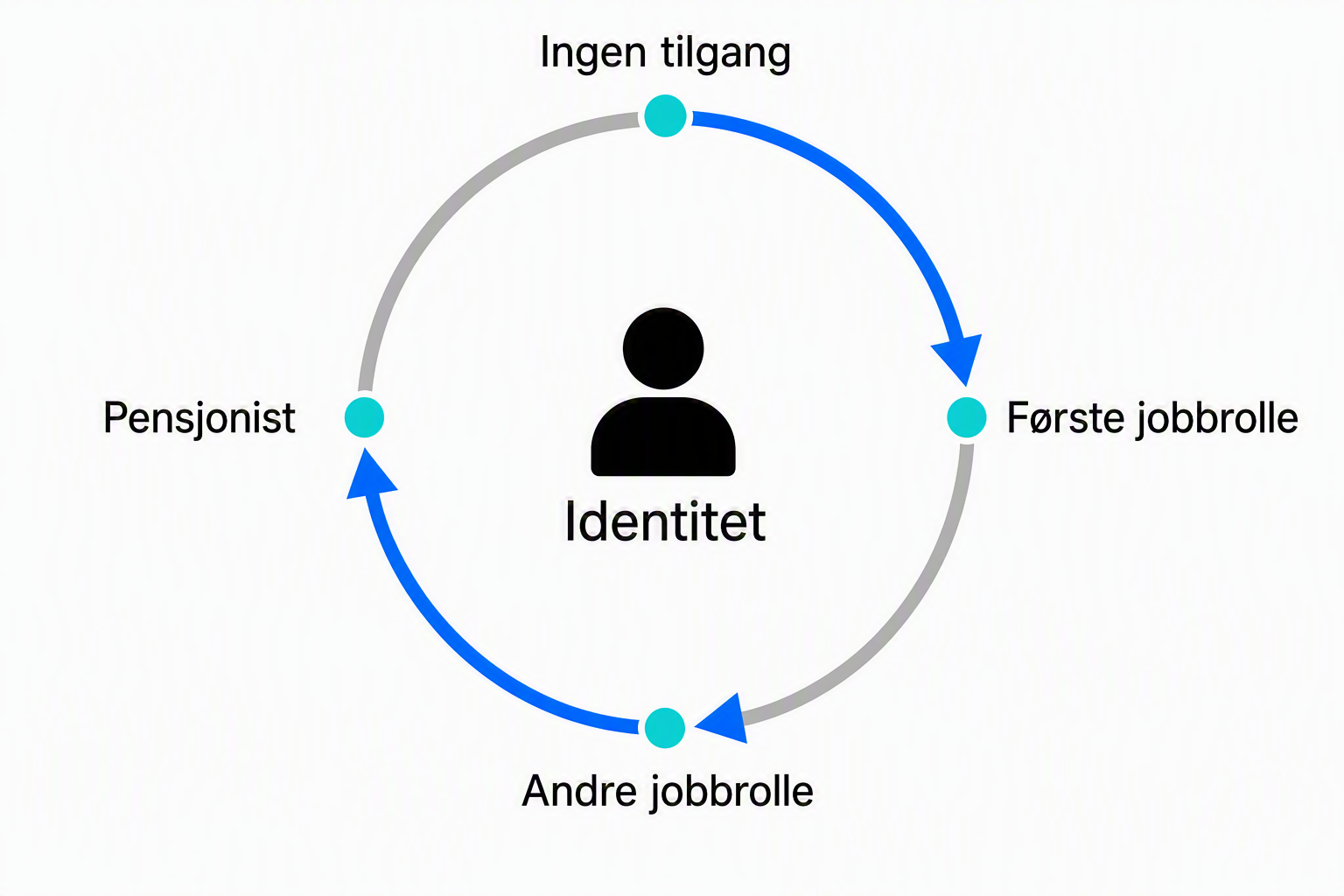
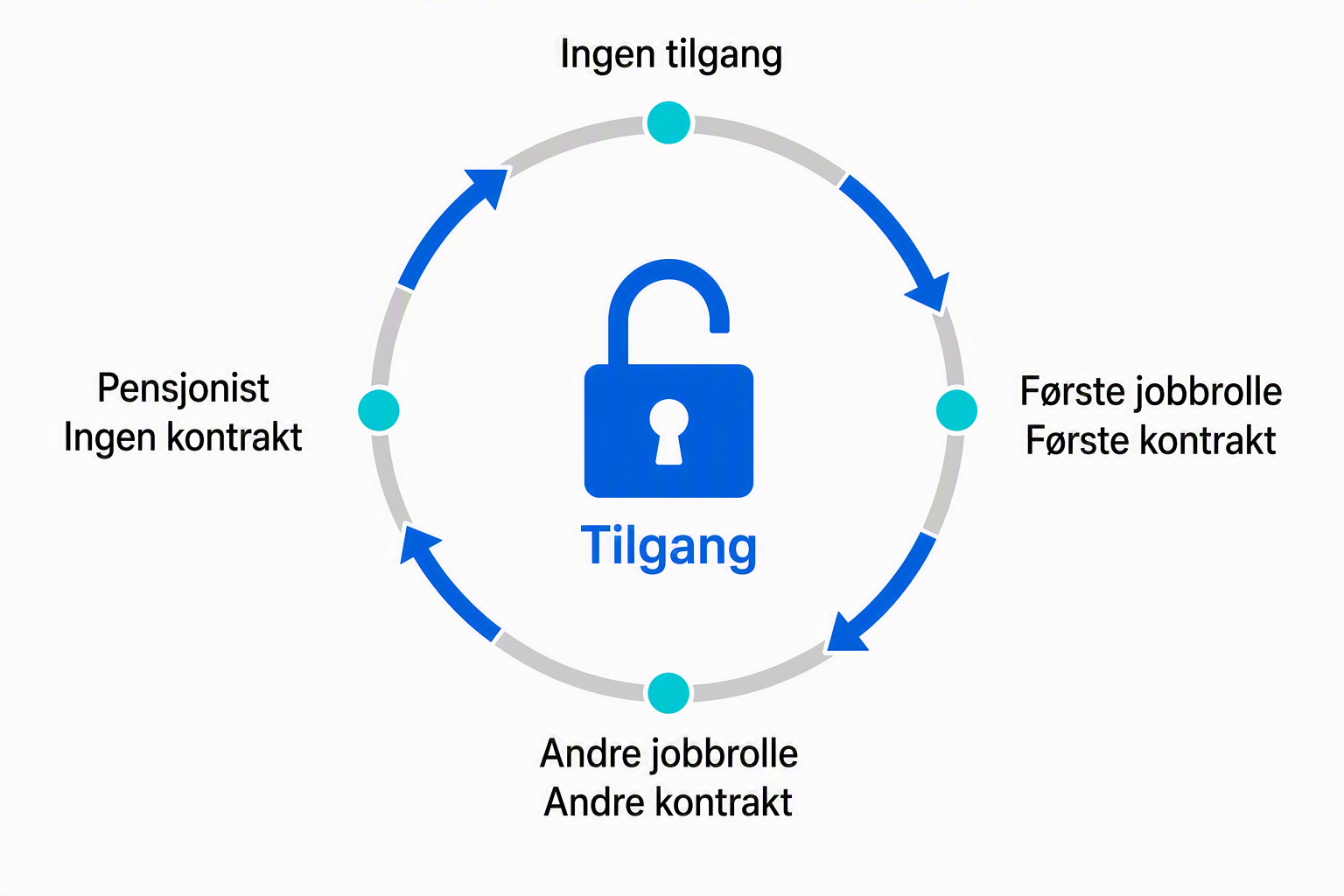
This applies to both employees and guests. Employees can accumulate access when they change roles. For guests, the blind spot is often larger because it is the external organization that knows when the person changes tasks or leaves. A successful sign-in therefore does not tell you whether a business need still exists.
Features that can be combined
- Conditional Access sets the conditions for sign-in. This can include requiring MFA, constrained sessions, or stricter control for certain types of guests and resources.
- Cross-tenant access settings govern inbound and outbound collaboration between tenants. Here the organization can restrict specific partners and decide whether to trust MFA or device signals from the other tenant.
- Entitlement management and access packages bundle access to groups, Teams, applications, and sites in SharePoint into a single package. The policy can define who can request, who approves, how long access lasts, and whether it can be renewed.
- Access reviews make the control recurring. An owner can regularly confirm whether users and guests should still have group membership, app access, roles, or an assignment through an access package.
- Lifecycle workflows and provisioning can automate parts of the lifecycle for employees when they start, change roles, or leave. For guests, access packages, expiry, and access reviews are key mechanisms for the same type of control.
- Privileged Identity Management provides time-bound and just-in-time privileged access. This is particularly relevant if an external consultant must have administrative roles without the role being permanently active.
The features solve different parts of the same problem. Conditional Access decides whether a sign-in can get through. Governance decides whether the access should exist in the first place.
Guests need a sponsor and an end date
A guest account should be explainable with a few details:
- who is the sponsor or owner
- what purpose the access serves
- which resources the guest should reach
- when the access expires
- how often the need should be reassessed
This moves responsibility closer to those who know the collaboration. IT can define the framework, while the project manager, system owner, or data owner assesses whether the need is still real.
A practical example
A supplier is going to participate in a project for six months and needs a team, a site in SharePoint, and one business application.
Instead of three manual assignments, the organization can create an access package for the project. Only users from the relevant partner can request. The project owner approves, the access gets an end date, and the guests are included in a periodic access review.
When the period is over, the assignments can be removed automatically. If the guest has no other assignments through access packages, the guest account can also be removed in line with the lifecycle settings. Conditional Access still governs the conditions when the guest signs in.
From manual case to managed service
This is the real opportunity in Entra ID Governance: Access can be designed as a reusable service with an owner, approval, duration, and control.
It can enable faster collaboration startup, fewer permanent accesses, and better documentation for leadership, audit, and customers.
The goal is not the fewest possible guests. The goal is that no guest should be without a known purpose and a responsible owner.
Four things to do now
1. Map the sharing that exists
Use the report for external sharing and relevant audit logs. Start with the sites that share the most externally, and look especially for:
- recipients without an Entra B2B guest account
- old project spaces with active sharing
- sites without a clear owner
The goal is not to find every single link at once, but to know where the impact could be greatest.
2. Consider the policies together
Compare the external sharing settings in SharePoint and OneDrive with external collaboration settings and cross-tenant access settings in Entra.
Document which setting sets the real boundary. This reduces the risk that a share looks allowed in SharePoint but is blocked by the identity policy.
3. Clarify ownership and lifecycle
For projects and steady collaborations, it should be clear:
- who requests and approves access
- who is the sponsor or owner
- when the access should be reviewed
- who removes the guest when the need is gone
Access reviews and entitlement management can support this where scope and licensing make it relevant.
4. Prepare user support
Make the error message known to those who handle user inquiries. Also clarify whether the solution should be to create a guest account, reshare, or escalate to the site owner.
This is easier than interpreting every broken link as a random error in SharePoint.
The integration and governance have different licensing logic
Microsoft does not specify a separate licensing requirement for the transition to Entra B2B in the documentation this is based on.
The features in Microsoft Entra ID Governance have their own licensing requirements. Microsoft lists Entra ID Governance or Entra Suite for the overall solution, while certain features may also be available with Entra ID P2.
For guest users, Entra ID Governance uses an MAU model. Guests are billed in months where they have one or more billable governance actions. Microsoft also clarifies that P2 actions are not billed through this model.
So it is the use of certain governance features, not the number of guest accounts alone, that determines this cost.
Honestly?
This is first and foremost a move of external sharing into identity governance.
Three questions show whether the organization is prepared:
- Who is allowed to invite external guests?
- Who owns the access after it is granted?
- Who ends it when the need is gone?
If the answers are unclear, this is a good time to tidy up. The work does not lie in the switch itself, but in the ownership around the guest.